The iOS Simulator does not natively support hardware passthrough for the host Mac's physical cameras. When an app running in the simulator uses AVFoundation to request camera access, the simulator returns a mock black screen, provides a static placeholder, or simply crashes.
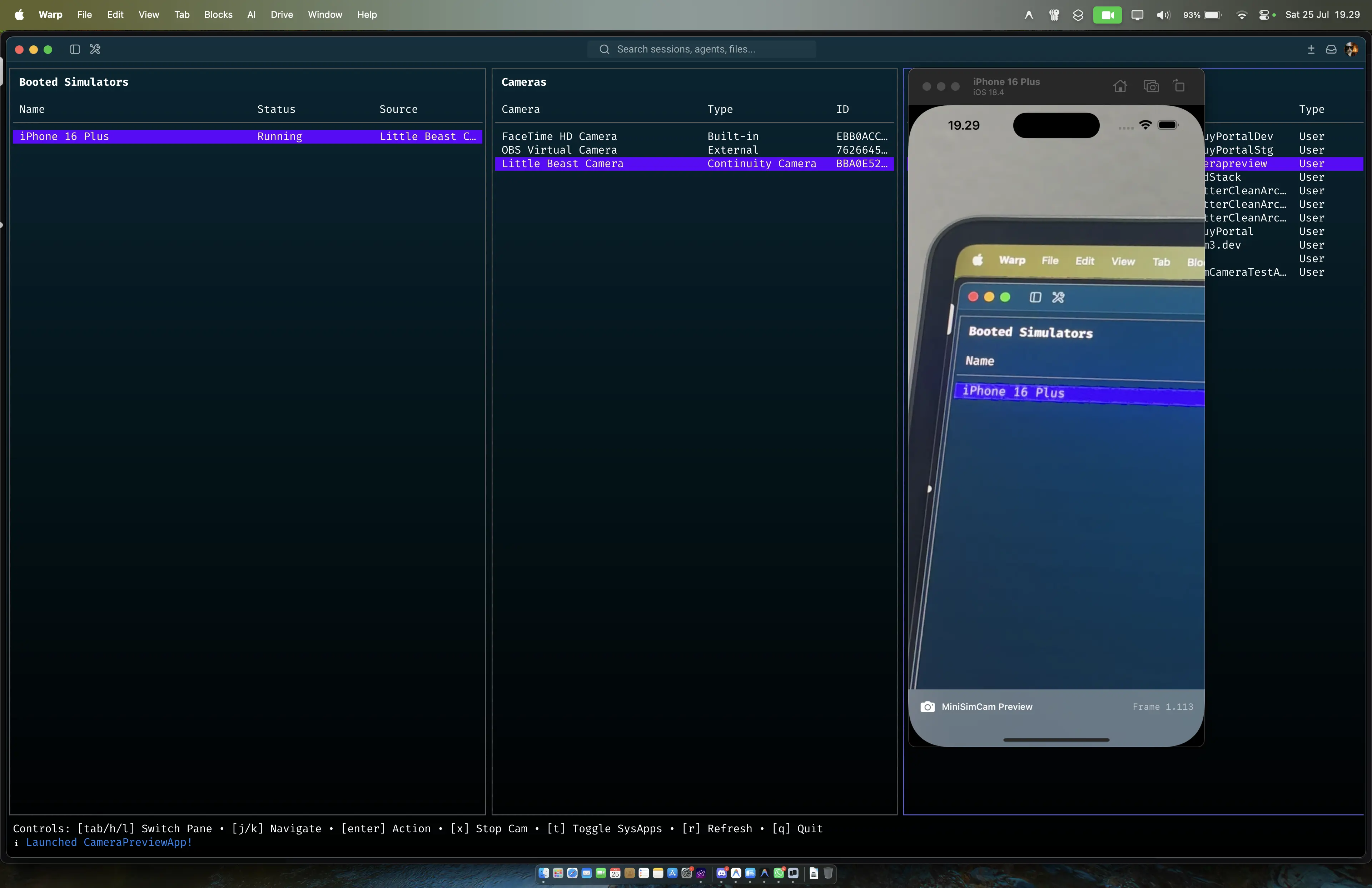
I wanted to fix this in sim-cli. There are commercial options available for this, like SimCam, but I wanted to build a free, open-source version. The goal was to inject a macOS camera feed directly into the simulator.
Passing uncompressed 1080p or 4K video at 60 frames per second between two separate processes requires moving up to 500 MB/s of data. Standard IPC mechanisms like XPC, Mach ports, or local UNIX sockets require serializing the data, copying it into the operating system kernel space, and copying it back out to the receiving process. This double-copy creates CPU bottlenecks and latency.
The solution relies on memory-mapped files and IOSurface.
As documented in Mac Internals, IOSurface is a chunk of memory that can be mapped multiple ways across the CPU, GPU, and media engines. It is allocated from the unified DRAM pool. The pages themselves are shared across process boundaries. A process can write to an IOSurface, send the handle ID to another process, and the receiver maps the exact same physical pages.
This means zero-copy delivery.
Here is how sim-cli uses it. The architecture is split into two parts: a producer on the macOS host and a consumer running inside the simulator.
The producer is a macOS daemon called FrameHost. Before it can send frames, it has to find a camera. The daemon uses macOS's AVCaptureDeviceDiscoverySession to query the system for available video inputs. Because it queries the host OS directly, sim-cli automatically supports Continuity Camera. You can mount your iPhone and use it as the simulator's webcam without writing any extra code, or you can fall back to injecting static images for basic testing. Once a device is selected, FrameHost reads frames from it and writes them to a new IOSurface in its pool. Instead of sending the heavy pixel data over IPC, it writes the 32-bit ioSurfaceID to a memory-mapped file located at /tmp/iris.<udid>.frames.
The entire shared file is just a 128-byte header containing the ID, width, height, pixel format, and presentation timestamps:
typedef struct {
    uint32_t magic;                // "MSCC"
    uint32_t version;              // Version schema
    uint32_t width;                // Frame width
    uint32_t height;               // Frame height
    uint32_t bytesPerRow;          // Memory stride (aligned to 64 bytes)
    uint32_t pixelFormat;          // 'BGRA'
    uint32_t _pad1;
    uint32_t _pad2;
    uint64_t sequence;             // ATOMIC: Sequence lock for writers
    uint32_t ioSurfaceID;          // ATOMIC: ID of the active IOSurface
    uint32_t _pad0;
    uint64_t presentationTimeNs;   // Frame PTS (Nanoseconds)
    uint64_t framesProduced;       // ATOMIC: Total frames produced
    uint8_t  reserved[64];         // Future expansion padding
} IRISStreamHeader;                 // Exactly 128 bytes
The consumer is a dynamic library named IrisInject.dylib. When you run sim cam start, sim-cli uses launchctl to set DYLD_INSERT_LIBRARIES on the simulator. This forces every app launched to load the dylib before main() executes. The dylib uses Objective-C method swizzling to swap Apple's AVCaptureSession methods with custom implementations.
When the iOS app requests the camera, the injected code starts reading from the shared memory file. It polls for the ioSurfaceID. Once it gets a valid ID, it calls IOSurfaceLookup to retrieve the surface. It wraps the surface in a CoreVideo CVPixelBuffer, attaches the hardware timing data, and pushes the resulting CMSampleBuffer to the app's delegate. The host app processes the camera feed exactly as it would from a real hardware camera.
To prevent frame tearing while FrameHost updates the ID and the iOS app reads it, sim-cli uses a lock-free Sequence Lock (SeqLock) implementation with C++20 atomic memory orders.
If we used standard POSIX mutexes, a killed producer could leave the mutex permanently locked, causing the iOS app to freeze. With a sequence lock, the reader never blocks. It only retries if it detects the sequence integer was modified during its read.
Using IOSurface eliminates the IPC bottleneck. The data transfer takes near-zero CPU overhead, making real-time high-resolution camera injection possible in the simulator.
If you build camera-dependent features and want to test them without deploying to a physical device every time, you can try it out. The source code and installation instructions are available on GitHub.